What Is the 80s AI Photo Trend?
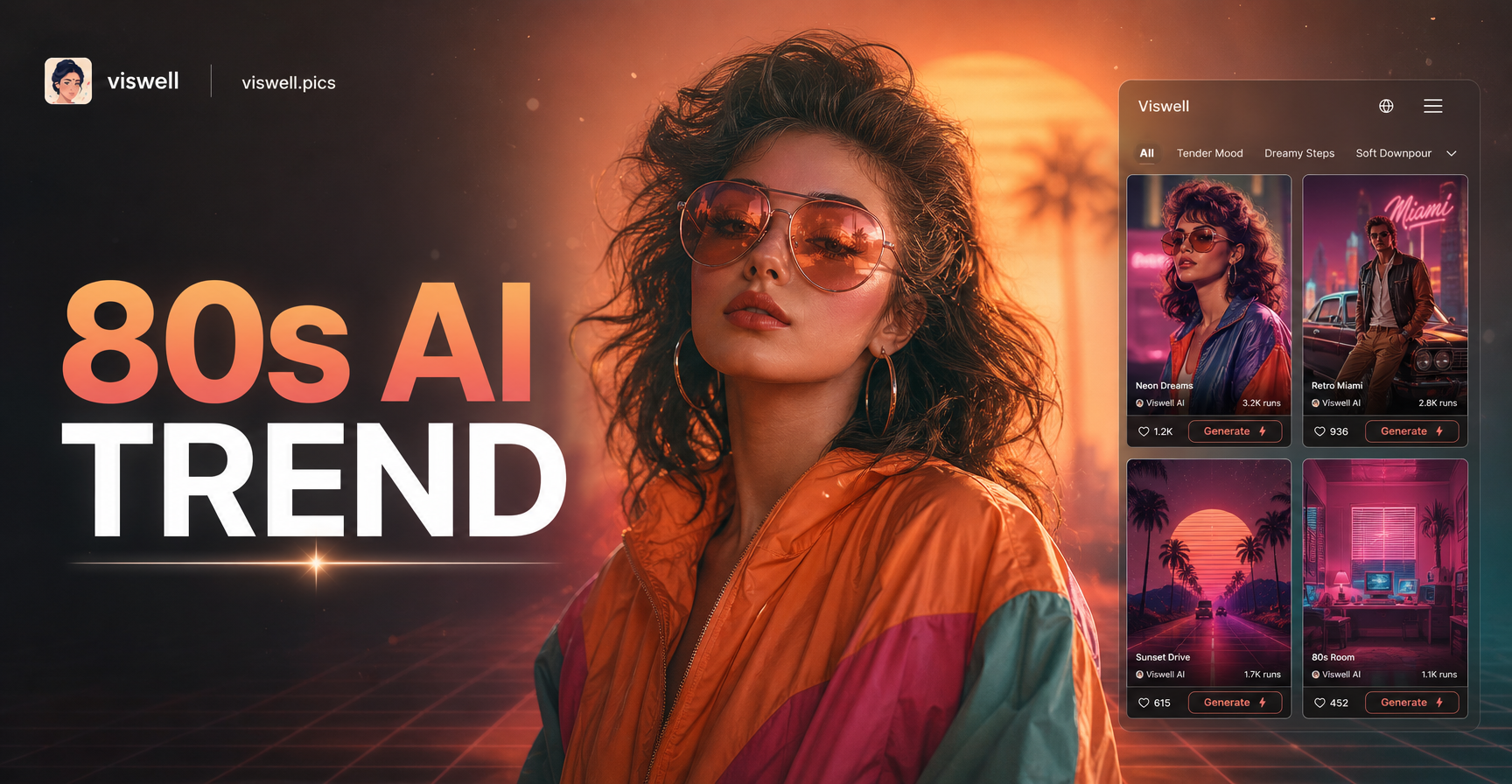
The 80s AI photo trend is a digital art movement where artificial intelligence is used to apply specific visual filters that emulate the look and feel of the 1980s. This isn't just about adding a sepia tone. It's about capturing the essence of an era defined by specific technology, fashion, and media.
Think of the grainy texture of a VHS tape, the chromatic aberration of a cheap TV broadcast, the bold gradients of a synthwave sunset, and the unmistakable glow of neon against a dark cityscape. AI tools analyze these visual characteristics and can apply them to any modern photo or generate entirely new scenes from text descriptions, instantly transporting your visuals back in time.
Why the 80s Aesthetic Is Dominating Social Media
Nostalgia is a powerful driver, but the 80s revival is more than just a memory. It represents a distinct, bold, and unapologetic visual language that stands out in today's feed. The aesthetic offers:
- High-Contrast Visuals: Deep blacks, vibrant magentas, electric cyans, and sunny yellows create immediate impact.
- Tactile Texture: The simulated grain, scan lines, and film bleed add a physical, imperfect quality that feels authentic.
- Escapism: It evokes a sense of retro-futurism—a vision of the future from the past—which is inherently cool and imaginative.
- Ease of Creation: With AI, achieving this complex look, which once required hours in Photoshop, is now accessible to anyone with a smartphone.
Key Elements of an Authentic 80s AI Photo
To move beyond a generic "old photo" filter, focus on combining these core elements. Your AI tool should let you reference or generate these styles.
1. The Color Palette: Neon and Pastel
The 80s color scheme is not subtle. It's dominated by hot pinks, electric blues, vibrant purples, and lemon yellows, often placed against dark backgrounds. Think Miami Vice, arcade cabinets, and neon signage. Simultaneously, softer pastel hues were huge in fashion and design. Look for AI filters labeled "Synthwave," "Neon Noir," "Vaporwave," or "Retro Sunset."
2. Texture and Glitch Effects
This is what sells the illusion. Authentic 80s media was imperfect. Seek out AI styles that emulate:
- VHS Tape Degradation: Horizontal scan lines, slight blur, color bleeding, and tracking static.
- CRT Monitor Glow: A subtle screen curvature effect and chromatic aberration (red/cyan fringing on edges).
- Film Grain: A coarse, textured overlay that mimics high-ISO film stock.
3. Typography and Graphic Elements
For a complete scene, incorporate classic 80s graphic design. This includes geometric grids, sunbursts, jagged digital rain (inspired by "The Matrix," though a 90s reference, it fits the cyberpunk side of the 80s), and bold, geometric fonts like Memphis style. Many AI image generators can create these elements from text prompts.
How to Create Your Own 80s AI Photos: A Step-by-Step Workflow
You can achieve this trend through two main methods: transforming an existing photo (Image-to-Image) or generating a new one from a text description (Text-to-Image).
Method 1: Transforming an Existing Photo
This is perfect for giving your portraits or cityscapes an instant retro makeover.
- Choose the Right Base Photo: Select a photo with clear subjects and interesting lighting. Night shots with artificial lights, portraits with sharp features, or urban landscapes work exceptionally well.
- Apply an 80s Style Filter: Within your AI app, browse the style library. Look for filters with names like "80s Retro," "Synthwave," "Neon Dreams," "VHS Glitch," or "Cinematic 80s." The best tools offer a massive library, so you can experiment with different nuances of the era.
- Fine-Tune and Layer: Some advanced apps allow you to adjust the intensity of the effect or even layer multiple styles. Try combining a color filter with a separate texture overlay for a more complex, authentic result.
Method 2: Generating From a Text Prompt
This method unlocks limitless creativity, allowing you to build scenes that never existed.
- Craft a Detailed Prompt: The key is in the description. Don't just say "80s photo." Be specific.
Example Prompt: "A neon-lit cyberpunk street at night, 1980s retrofuturism, synthwave color palette of pink and blue, VHS texture with scan lines, cinematic shot, dramatic lighting." - Select a Matching Style Template: When you input your prompt, pair it with a relevant style template from the app's gallery. Choosing "Cinematic" or "Cyberpunk" as a base style will guide the AI more effectively than using no style reference.
- Generate and Iterate: Generate your image. If it's close but not perfect, tweak your prompt. Add or remove terms like "film grain," "chromatic aberration," or "bold gradients" to steer the result.
Beyond Photos: Animating the 80s with AI Video
The trend doesn't stop at static images. The next level is bringing your 80s creations to life. Using AI video generation, you can:
- Animate a Retro Portrait: Make a character in your 80s-style image blink, smile, or look around, adding an eerie, lifelike quality to the retro filter.
- Create a Synthwave Music Visualizer: Generate short, looping videos of geometric shapes pulsing to music, complete with glitch transitions and neon trails.
- Revive Old Photos in 80s Style: Use the Image-to-Video function on a genuine old photo. The AI can not only apply an 80s filter but also subtly animate the scene, creating a powerful piece of nostalgic art.
Common Mistakes to Avoid
- Overdoing the Glitch: Too much distortion can make the image unreadable. Subtlety often works better.
- Ignoring Composition: The coolest filter can't save a poorly framed photo. Start with a strong image.
- Using Cliché Filters: "Sepia" or "old photo" does not equal 80s. Seek out the specific textures and color grades defined above.
- Forgetting the Mood: The 80s aesthetic is about atmosphere. Consider the lighting and subject matter in your original photo or prompt to match the bold, dramatic, or fun mood of the era.
Your Tool for the Retro Revolution
Exploring the 80s AI photo trend is about playful creativity and nostalgic expression. The right tool removes technical barriers and puts a universe of style at your fingertips. With a comprehensive mobile app that combines powerful image and video generation with an extensive library of retro filters, you can experiment freely, find your unique blend of 80s elements, and produce standout content that captures the vibrant spirit of the decade.
The trend is a reminder that AI is at its best when it acts as a creative collaborator, helping us remix the past to create something new and visually compelling for the present.